Steam
Store data
- Store status
- Coming soon
- Scheduled release
- 26 October 2026
- Positive reviews
- —
- Total reviews
- 0
- Release date
- 26 October 2026
24-hour and 7-day views use hourly peaks from ten-minute samples. Longer views use retained daily peaks. Up to 24 recent event markers are shown per layer.
Recent views use Steam's daily review activity. Longer views use weekly totals, retained by SteamWatch.
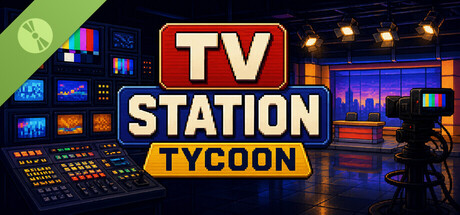
Build your own television empire in TV Station Tycoon , a management game where every show, schedule, advertisement, and business decision can change your position in the ratings.
Start with a small station and turn it into a broadcasting powerhouse. License new programs, build daily schedules, target different audiences, secure sponsors, manage your finances, and react to changing viewer habits as you compete against rival networks.
Your programming lineup is the heart of your station. Choose what to broadcast and when, balancing genres, audience demographics, popularity, costs, and time slots.
Morning news might perform well with one audience, while cartoons, sports, reality shows, dramas, movies, and late-night programming attract completely different viewers.
A strong schedule can create momentum throughout the day. A poor one can send viewers straight to the competition.
Expand your library by licensing television shows, movies, special events, and seasonal programming.
Every piece of content has its own strengths, audience appeal, popularity, runtime, and licensing cost. Look for bargains, invest in proven hits, or take a chance on cheaper programming that could become the foundation of your station.
Some opportunities are limited, so deciding when to spend your budget can be just as important as deciding what to broadcast.
Your audience changes throughout the day.
Viewer numbers are influenced by your programming, time slot, target demographic, weather, competing stations, previous shows, special events, and other factors.
Follow your live audience, study performance data, and adjust your strategy to climb the national rankings.
Your goal is simple: become the #1 television station .
Ratings alone will not keep the lights on.
Turn your audience into revenue through advertising, sponsorships, and smart financial management. Bigger shows can attract more viewers, but they also cost more to license and operate.
Decide when to invest, when to save, and when to take a risk on content that could transform your station.
As your station becomes more successful, unlock new opportunities and improve the way your network operates.
Manage your content library, advertising strategy, audience, finances, studio operations, campaigns, syndication opportunities, and competition from one growing broadcasting business.
Build and manage your own TV station
Create full daily and weekly broadcast schedules
License shows, movies, sports, news, reality TV, cartoons, and more
Track live viewers and audience demographics
Compete against rival television networks
Climb the national ratings
Manage advertising and sponsorship deals
Monitor revenue, expenses, and station performance
Take advantage of seasonal content and limited-time broadcast events
React to weather and changing audience behavior
Analyze the performance of individual programs
Develop your station from a small broadcaster into a major network
TV Station Tycoon was inspired in part by Mad TV , a game I loved playing when I was younger. I always wanted to return to the idea of running a television station, but with a much deeper focus on economics, management, strategy, and the small decisions behind keeping a broadcasting business alive.
I'm also a lifelong fan of tycoon and management games. I've been playing them since the Commodore 64 era and have spent decades trying almost every management game I could get my hands on.
With TV Station Tycoon, I wanted to create the kind of game I personally enjoy: a detailed management simulator where schedules, finances, ratings, viewers, competitors, and dozens of small decisions all interact.
If you enjoy digging into numbers, optimizing systems, experimenting with strategies, and slowly turning a struggling business into an empire, I hope you'll feel at home here.
Every hour matters.
Choose the right programs, understand your viewers, beat your competitors, and build a television network that millions want to watch.
Two small changes make the broadcast timeline faster and easier to use.Upcoming programs can now be removed directly from their schedule blocks, while every block displays a clear content-type icon next to its title. Both improvements work across desktop and mobile, including the narrowest schedule blocks.Remove Programs in One TapYou no longer need to open the inspector just to clear a scheduled program.Every upcoming program block now has a small × button in the top-right corner.Click it and the program is removed immediately.Past and currently airing programs remain locked, matching the existing scheduling rules.Content-Type Icons at a GlanceEvery program block now shows its content type directly next to the title.You'll see:🎞️ Movie — film reel📺 Show — TV🎙️ Talk — microphone🏆 Live Event — trophyThe icons are color-coded by genre, making it easier to scan a full day's schedule...
Read full update on Steam ↗News is now part of the main Scheduling Library, making it easier to browse and schedule alongside your regular content.Morning, Afternoon, and Evening News now appear in the same scrollable list as your Movies and Shows. This update also fixes a crash that could occur when upgrading the Newsroom beyond Tier I.News Now Scrolls With Your LibraryPreviously, News broadcasts were kept in a separate Special Broadcasts section pinned above the main content list.They now appear directly inside the scrollable Scheduling Library under a compact Special Broadcasts label.Movies, Shows, and News can now be browsed together using one unified list and one scrollbar.This also gives smaller screens more room for your regular programming.Compact News RowsNews broadcasts now use the same compact format as other library entries.Each row shows:A dedicated newspaper iconNews broadcast nameDuration and ava...
Read full update on Steam ↗The Department Detail screen has been rebuilt to make station management denser, clearer, and easier to read.The new layout gives more space to important information, upgrade costs and effects are easier to understand, and upcoming specializations are now visible before you reach the decision point.A More Balanced LayoutThe Department Detail screen now uses a balanced two-column layout on desktop.Current Capabilities sits alongside Next Upgrade, giving both sections enough space without leaving large empty areas or cramping important information.Typography has also been increased throughout the page, making department names, tiers, stats, and section headers easier to read at normal desktop sizes.The content is now centered and capped at 1600px, keeping the interface dense even on larger monitors.Clearer Current CapabilitiesTier I departments no longer look like they have "nothing" ac...
Read full update on Steam ↗Today's update gives TV Station Tycoon a complete visual overhaul.Every screen now follows a unified control-room aesthetic, with custom panels, icons, textures, cursors, navigation, and a rebuilt Rival Stations leaderboard. The mobile experience has also been refined to stay clean and responsive across different screen sizes.A Unified Visual LanguageThe entire interface now uses a consistent visual system across the game.Panels, cards, buttons, schedule slots, Marketplace listings, sponsor contracts, production cards, and campaigns now share the same visual language, with dedicated states for default, hover, active, and completed interactions.The result is a UI that feels less like a collection of separate screens and more like one connected control room.A New Control-Room AestheticThe interface now has a stronger broadcasting-control-room atmosphere.You'll see subtle:Scanline effect...
Read full update on Steam ↗Today's update significantly expands the content library, giving your station more variety and more room to experiment with different programming strategies.The catalog grows from 115 to 165 titles, with new Movies, Shows, and Talk Shows across a wide range of genres. Episodic content also gets a tighter 12-episode maximum, making series easier to rotate and giving the expanded catalog more room to shine.50 New Titles Across Every GenreThe catalog now includes 50 additional titles:10 new Movies30 new Shows10 new Talk ShowsNew content expands a wide range of genres, including Sports, Kids, SciFi, Horror, Comedy, Romance, Drama, Documentary, Reality, News, and Action.Every genre now has more options, while Talk Shows receive additional variety for daytime and late-night programming.Shows Now Cap at 12 EpisodesEvery Show and Talk Series — new and existing — now has a maximum of 12 episod...
Read full update on Steam ↗Today's update makes two important parts of programming easier to understand: schedule performance and content popularity.Bonus modifiers now remain visible after a show airs, lead-in effects stay on screen for the entire program, and popularity now follows a simple decay-and-recovery system with clear color coding.Bonus Badges Stay After AiringThe bonus pills on schedule cards — Lead-In, Competition, Weather, Premiere, Momentum, Flagship, and other modifiers — now remain visible after a program finishes airing.Previously, completed cards only showed the result. Now you can look back at any aired show and see what influenced its performance.The badges remain readable even with the schedule's completed-card styling, giving you a clear performance history throughout the day.Lead-In Stays VisibleThe Lead-In / Retention badge in the Now Playing strip previously appeared only during the fi...
Read full update on Steam ↗Today's update rebalances Sponsor Campaign rewards to better reflect how difficult each campaign type is to complete.General Awareness campaigns are receiving a small payout reduction because of their flexibility, while Genre Campaigns now offer higher rewards for requiring more deliberate programming.General Awareness — Lower Risk, Lower RewardGeneral Awareness campaigns can be completed across normal programming without restricting your schedule to a specific genre.Because they're the easiest campaigns to fulfill, their monetary rewards have been reduced by 10% across:Signing paymentPer-ad paymentCompletion bonusFailure penaltyThe campaign requirements, duration, and difficulty scaling remain unchanged.Genre Campaigns — Premium RewardsGenre Campaigns require ads to be aired alongside matching genre content.A Sci-Fi campaign requires Sci-Fi programming, while a Comedy campaign requir...
Read full update on Steam ↗Today's update introduces the first major overhaul of the viewer system.Audience Flow now makes your programming lineup matter, Station Momentum tracks short-term audience excitement, and program performance is measured against each title's own history.We've also added a new Viewer Trends dashboard that explains why your demographics are changing.Audience Flow — Smarter Lead-InsThe old flat lead-in system has been replaced with Audience Flow.Viewer flow between programs now considers:Genre compatibility — similar genres retain more viewersDemographic overlap — compatible audiences transition more naturallyPrevious performance — successful programs pass stronger audiences forwardA Reality show followed by another Reality show will maintain a strong flow, while a sudden transition from Horror to Kids can cause a significant drop.The resulting lead-in multiplier ranges from 0.90× to 1.15...
Read full update on Steam ↗Today's update gives the Commercial Department a much bigger role in managing sponsors.Sponsor capacity is now controlled by Commercial upgrades instead of reach tier, while sponsor campaigns now carry real financial consequences for failure and cancellation.Sponsor Capacity Moves to CommercialSponsor capacity is no longer tied to your Local, Regional, or National reach tier.Instead, it is controlled by the Commercial Department, with six upgrade levels:Owner-Managed Sales — 1 campaign Sales Assistant — 2 campaigns Sales Team — 3 campaigns Commercial Office — 4 campaigns Advertising Division — 5 campaigns Network Sales — 6 campaignsEach upgrade requires a progressively larger investment, turning sponsor capacity into a deliberate part of your station development rather than an automatic benefit of reaching a new tier.Failure Penalties — Real Cash on the LineSponsor campaigns now carry...
Read full update on Steam ↗Sponsors have been completely reworked.Sponsor Campaigns 2.0 replaces the old flat per-ad contracts with objective-based campaigns featuring difficulty tiers, dynamic viewer targets, stretch goals, and per-ad attribution.We've also redesigned the sponsor negotiation screen, added live campaign progress tracking, and introduced a new collect-or-continue completion system.From Per-Ad Contracts to Objective CampaignsSponsors are no longer simply about signing a brand and airing as many ads as possible.Each campaign now gives you specific objectives to complete within a deadline, such as:Airing qualifying advertisementsReaching a target audienceMeeting specific programming requirementsComplete the mandatory objectives to unlock your completion bonus.Once completed, you can either collect the reward immediately or continue the campaign to pursue a larger bonus.Four Difficulty TiersCampaign...
Read full update on Steam ↗Today's update brings several improvements to the Content Market, Acquisitions department, Season Premiere boosts, and daily financial reporting.Marketplace offers now expire individually, Acquisitions upgrades increase your available market capacity, and Season Premiere boosts can be cancelled without losing their activation cost.Per-Offer Marketplace TimersThe Content Market now uses individual 1–7 day timers for each offer instead of a single weekly refresh.Every title shows its own countdown, and expired offers are automatically replaced with new ones.This makes the marketplace more dynamic and adds some urgency when a title you're interested in is about to leave.Acquisitions Expands Your MarketThe Acquisitions department can now be upgraded through five levels, increasing your marketplace capacity from 16 to 21 simultaneous offers.Each upgrade adds another available title, giving...
Read full update on Steam ↗Today's update brings a major economy and sponsorship overhaul.Content licensing now uses clearer popularity-based price tiers, licenses last longer, station progression has new requirements, and the sponsor system has been rebuilt around risk, reputation, objectives, and long-term relationships.Rebalanced Content LicensingContent prices now follow a popularity-based price curve, creating clearer options for every stage of your station.Prices range from around $1.5K for filler content up to $120K for prestige titles.Standard licenses now last 21 days, reducing the frequency of renewals and making long-term scheduling easier to manage.Tiered Station ProgressionRegional and National upgrades now require more than simply having enough cash.Progression takes into account:Available cashStation reputationAverage viewersA permanent Top-3 weekly ratings finishThese requirements make reaching...
Read full update on Steam ↗Today's update improves the live audience system, making viewer numbers more consistent, dynamic, and informative.The Now Playing viewer count now uses the same calculation as the recorded hourly peak, updates every 10 minutes, and includes a detailed demographic breakdown that always matches the total audience.Live Viewers Now Match Recorded StatsThe live viewer count now uses the exact same calculation as the recorded hourly audience.This includes factors such as:Rival competitionLead-in effectsSeason premieresFlagship bonusesWhat you see during the broadcast is now the same value that gets recorded for the hour.Viewers Fluctuate Every 10 MinutesThe live audience now changes every 10-minute slot, creating a more dynamic ratings experience.Each hour records the highest live viewer count reached during that hour, so the peak you see during the broadcast is the value that gets saved.Li...
Read full update on Steam ↗Today's update brings three changes focused on making the marketplace more interesting, viewer statistics more dynamic, and each new broadcast day easier to manage.The old New Station subsidy has been replaced with daily marketplace deals, live viewer counts now reflect peak audience, and every new day starts paused so you're always ready before going on air.Daily Deals Replace the Starter SubsidyThe previous "first 3 purchases at 50% off" New Station subsidy has been replaced with Daily Deals.Each in-game day, 1–3 random titles in the Content Market receive a 15–50% discount and are marked with a DEAL badge.The original price remains visible alongside the discounted price, and each deal can only be claimed once.Deals refresh at the start of every new day and won't appear on titles involved in bidding wars or rival purchases, so every deal represents content you can actually license.L...
Read full update on Steam ↗Today's update brings several improvements to scheduling, viewer statistics, marketing campaigns, and mobile usability.We've fixed an issue where scheduled movies could disappear, improved the viewer counter to provide more useful hourly data, added campaign restrictions, and made the content picker easier to use on smaller screens.Fixed: Scheduled Movies DisappearingWe've fixed an issue where a second scheduled movie could disappear from the schedule when it didn't fully fit into the available time slot.The content picker now prevents titles that are too long from being selected and clearly marks them as "Too long for this slot".Movie blocks can no longer overlap with neighboring programs, and advertising slots are automatically limited so they cannot push a movie into another program.Your scheduled content will now stay exactly where you placed it.Targeted Ad Campaigns: One at a Tim...
Read full update on Steam ↗Today's update brings three quality-of-life improvements designed to give you more control over your broadcast day.Bidding wars now stay paused when they end, new days begin at 5 AM to give you time to prepare, and the dashboard now features a live Now Playing bar showing exactly what's on air and who's watching.Bidding Wars No Longer Auto-ResumeWhen a rival challenges you for a contested title, the game pauses so you can decide whether to bid.Previously, the clock would automatically return to your previous speed after the bidding war ended. This could catch you off guard while planning your schedule.Now, the game stays paused after every bidding war.Resume broadcasting whenever you're ready.New Days Start at 5 AMEvery new and loaded station now starts the day at 5:00 AM instead of 6:00.This gives you a full hour of preparation before the first broadcast slot.Use the extra time to:Br...
Read full update on Steam ↗We've made a number of changes to make the first hours of running your TV station smoother, clearer, and more enjoyable.This update introduces a new interactive tutorial, tycoon-style speed controls, daily station reports, and several early-game balance changes — including a larger starting budget, a first-week ad revenue bonus, and discounted content licenses.Interactive Tutorial (9 Steps)New stations now start with a 9-step guided tutorial covering the basics of running your network.You'll learn how to:Schedule contentAdd advertising slotsUnderstand revenueBrowse the marketplaceStart your first broadcastEach step requires you to actually perform the action before moving on, so the tutorial focuses on learning by doing rather than simply reading instructions.The tutorial can be skipped at any time for returning players.Tycoon Speed Controls (Pause / 1× / 2× / 3×)The game now runs wit...
Read full update on Steam ↗A major Station Operations 2.0 update completely reworks how you build and manage your station.The old equipment and staff system has been replaced with seven specialized departments, each with upgrade levels, recurring operating costs, and meaningful gameplay effects.We've also added Station Level progression, XP, department specializations, and a more dynamic operating economy.Seven DepartmentsYour station is now built around seven departments, each focused on a different part of your network:Broadcast — improves signal quality and prime-time reachStudio — improves live production and premieresNewsroom — strengthens news contentMarketing — increases loyalty growth and reduces churnCommercial — improves sponsor offers and reputation gainsTech — reduces facility maintenance costsAcquisitions — reduces licensing and renewal feesEvery department starts at Level 1 and can be upgraded thr...
Read full update on Steam ↗Steam currently lists 26 Oct 2026 as the release date.
Two small changes make the broadcast timeline faster and easier to use.Upcoming programs can now be removed directly from their schedule blocks, while every block displays a clear content-type icon next to its title.…
News is now part of the main Scheduling Library, making it easier to browse and schedule alongside your regular content.Morning, Afternoon, and Evening News now appear in the same scrollable list as your Movies and Sh…
The Department Detail screen has been rebuilt to make station management denser, clearer, and easier to read.The new layout gives more space to important information, upgrade costs and effects are easier to understand…
Today's update gives TV Station Tycoon a complete visual overhaul.Every screen now follows a unified control-room aesthetic, with custom panels, icons, textures, cursors, navigation, and a rebuilt Rival Stations leade…
Today's update significantly expands the content library, giving your station more variety and more room to experiment with different programming strategies.The catalog grows from 115 to 165 titles, with new Movies, S…