Steam
Store data
- UK price
- Free
- US price
- Awaiting regional check
- Positive reviews
- 81%
- Total reviews
- 27
- Release date
- 25 September 2026
SteamWatch’s first observed day and week; tracking can begin after release. Top Sellers is Steam’s revenue ranking, not a sales estimate.
1 player-data day recorded in this window.
6 player-data days recorded in this window.
24-hour and 7-day views use hourly peaks from ten-minute samples. Longer views use retained daily peaks. Up to 24 recent event markers are shown per layer.
| Month | Peak | Gain | % gain | Average | Avg % gain |
|---|---|---|---|---|---|
| Last 30 days | 7 | -10 | -58.8% | 1 | -80.3% |
| October 2026 | 7 | -10 | -58.8% | 1 | -75.2% |
| September 2026 | 17 | — | — | 3 | — |
| Region | Currency | Regular | Current | Discount | Historical low | Last change |
|---|---|---|---|---|---|---|
| United KingdomGBP · GB | — | — | Unavailable | 0% | — | No change recorded |
| United StatesUSD · US | — | — | Unavailable | 0% | — | No change recorded |
| Euro areaEUR · DE | — | — | Unavailable | — | — | No change recorded |
| United Arab EmiratesAED · AE | — | — | Unavailable | — | — | No change recorded |
| AustraliaAUD · AU | — | — | Unavailable | — | — | No change recorded |
| BrazilBRL · BR | — | — | Unavailable | — | — | No change recorded |
| CanadaCAD · CA | — | — | Unavailable | — | — | No change recorded |
| SwitzerlandCHF · CH | — | — | Unavailable | — | — | No change recorded |
| ChileCLP · CL | — | — | Unavailable | — | — | No change recorded |
| ChinaCNY · CN | — | — | Unavailable | — | — | No change recorded |
| ColombiaCOP · CO | — | — | Unavailable | — | — | No change recorded |
| Costa RicaCRC · CR | — | — | Unavailable | — | — | No change recorded |
| Hong KongHKD · HK | — | — | Unavailable | — | — | No change recorded |
| IndonesiaIDR · ID | — | — | Unavailable | — | — | No change recorded |
| IsraelILS · IL | — | — | Unavailable | — | — | No change recorded |
| IndiaINR · IN | — | — | Unavailable | — | — | No change recorded |
| JapanJPY · JP | — | — | Unavailable | — | — | No change recorded |
| South KoreaKRW · KR | — | — | Unavailable | — | — | No change recorded |
| KuwaitKWD · KW | — | — | Unavailable | — | — | No change recorded |
| KazakhstanKZT · KZ | — | — | Unavailable | — | — | No change recorded |
| MexicoMXN · MX | — | — | Unavailable | — | — | No change recorded |
| MalaysiaMYR · MY | — | — | Unavailable | — | — | No change recorded |
| NorwayNOK · NO | — | — | Unavailable | — | — | No change recorded |
| New ZealandNZD · NZ | — | — | Unavailable | — | — | No change recorded |
| PeruPEN · PE | — | — | Unavailable | — | — | No change recorded |
| PhilippinesPHP · PH | — | — | Unavailable | 0% | — | No change recorded |
| PolandPLN · PL | PLN | Free | Free | 0% | Free | No change recorded |
| QatarQAR · QA | — | — | Unavailable | — | — | No change recorded |
| RussiaRUB · RU | — | — | Unavailable | — | — | No change recorded |
| Saudi ArabiaSAR · SA | — | — | Unavailable | — | — | No change recorded |
| SingaporeSGD · SG | — | — | Unavailable | — | — | No change recorded |
| ThailandTHB · TH | — | — | Unavailable | — | — | No change recorded |
| TaiwanTWD · TW | — | — | Unavailable | — | — | No change recorded |
| UkraineUAH · UA | — | — | Unavailable | — | — | No change recorded |
| UruguayUYU · UY | — | — | Unavailable | — | — | No change recorded |
| VietnamVND · VN | — | — | Unavailable | — | — | No change recorded |
| South AfricaZAR · ZA | — | — | Unavailable | — | — | No change recorded |
| CIS (regional USD)USD_CIS · AM | — | — | Unavailable | — | — | No change recorded |
| Latin America (regional USD)USD_LATAM · AR | — | — | Unavailable | — | — | No change recorded |
| Middle East & North Africa (regional USD)USD_MENA · EG | — | — | Unavailable | — | — | No change recorded |
| South Asia (regional USD)USD_SASIA · PK | — | — | Unavailable | — | — | No change recorded |
Recent views use Steam's daily review activity. Longer views use weekly totals, retained by SteamWatch.
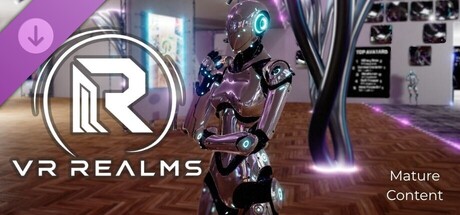
Start in your own home, then step into the shared hub, open around the clock on dedicated servers. VR Realms is new and the community is still small, so the hub is often quiet. The sure time to find people is the Saturday Hangout: every Saturday at 8 AM Pacific, with a Gold Rush and quiz rounds for gold. On your own? Fight bots in free-for-all and team matches, jog the park, or take Nixie's daily dares.
Play in a headset or play on your monitor. Everyone lands in the same space and can talk, move, and handle the same objects. Nobody gets a separate version of the game, and nobody needs to own a headset to hang out with friends who do.
Browse and equip avatars made by the community and uploaded straight through Steam Workshop. Subscribe to one and it's ready the next time you launch. Full-body tracking is supported if you have the hardware for it.
Explore levels designed and published by other players. Hangouts, game worlds, showcases, and things nobody has thought of yet. New ones appear as people publish them, so the list is never the same for long.
The Creator Kit is a free Unreal Engine 5 plugin. Build a world or an avatar, hit publish, and it goes to Steam Workshop where anyone can load it. Interactive props, game modes, and scoring zones are built in, so you don't need to write code to make something people can actually play.
Mouse and keyboard, or a gamepad. Controls are remappable from the settings menu, and VR runs on Quest via Link, Valve Index, HTC Vive, and other OpenXR headsets.
VR Realms is free to play. There's an optional supporter subscription that helps cover the dedicated server bill and unlocks cosmetic and convenience extras. Nothing sold affects gameplay.
VR Realms is new and still growing. The hub is live, the Workshop pipeline is open, and the Saturday Hangout runs every week. If something breaks, there's a report tool in-game and a Discord where the person reading your bug report is the person fixing it.
Games with the most comparable recorded change in players, and where available Steam reviews and Twitch viewers. This is a data similarity, not a recommendation or an explanation of cause.
| # | ||
|---|---|---|
| 01 | Ach Welcome | 89.1% |
| 02 | Ach Collector | 31.6% |
| 03 | Ach Guided Tour | 18.2% |
| 04 | Ach Full House | 14.9% |
| 05 | Ach World Tour | 8.9% |
| 06 | Ach Ffa Win | 7.1% |
| 07 | Ach Road Trip | 6.3% |
| 08 | Ach Team Win | 6.2% |
| 09 | Ach Say Cheese | 5.1% |
| 10 | Ach Treat Yourself | 4.5% |
| 11 | Ach Avatar Maker | 4.3% |
| 12 | Ach Gold Rush | 4.2% |
| 13 | Ach On The Board | 4.2% |
| 14 | Ach Number One | 3.9% |
| 15 | Ach World Builder | 3.9% |
| 16 | Ach Arcade Regular | 3.7% |
| 17 | Ach Rack Em Up | 3.7% |
| 18 | Ach Pool Shark | 3.4% |
| 19 | Ach Competitor | 3.3% |
| 20 | Ach Helping Hand | 3.3% |
{STEAM_CLAN_IMAGE}/45010450/6b80e31b449d44b56337518896dac4cd66f23f9b.png YouTube on the TVs YouTube, Twitch and Vimeo links play on TVs in HD. Paste a video's page link and everyone in the room watches it together. The first link takes a moment longer while the game gets what it needs. A TV follows the video instead of jumping back when it falls behind. When a link cannot play, the TV tells you why. Avatars Avatars worn from files are lit by the room instead of looking flat. A soft shadow under every player. The avatar menu shows every avatar on the Workshop, not just the first 50. Your own published avatar is worn straight from your PC, no download. Converted avatars take far less disk space. The avatar files page has its own drop folder, bins and a Free space button. Matches Team matches: the host picks balanced or free teams (Settings, Host, Team Pick, or /teams). Switch teams from...
Read full update on Steam ↗Fixed Portals: dropping a portal and pressing Go sometimes did nothing ("That instance has closed"). World search now looks worldwide, so portals, Browse and joining friends find the room reliably. Hub Pool and arcade are safe zones: you take no gun damage while you play pool or an arcade game, and you can't shoot anyone from there either. Late joiners see emotes: players who arrive late now see the dances and sits that are already going. Team matches Pick your team: the host chooses Balanced or Free Pick in Settings > Host. With Free Pick, friends can play on the same team. To change teams, use Switch Team in the quick menu or type /team red or /team blue in chat.
Read full update on Steam ↗Avatars from your PC The My files page now only reads your VR Realms folder (Documents > VR Realms > Avatars). Put downloads in the new "Drop avatar files here" folder, or use Browse to pick a single file. The game reads only that file. Every file has a delete button. Press it twice to remove it. New Free space button clears unpacked downloads, and the page shows how much room your avatars take. Choose which folder or drive converted avatars go to. Converted avatars now take far less disk space. Your own published avatar is worn straight from your PC, with no waiting for Steam. Fixed the loading card getting stuck at 2%, and the endless "Preparing avatar" when Steam hasn't delivered a brand-new avatar yet. Safety Avatar files made by other players load only once they've been reviewed.
Read full update on Steam ↗Wear an avatar straight from your PC https://vr-realms.com/assets/img/screenshots/avatars-from-files-0-3-6.jpg Open Avatars, My files and pick a file. VR Realms converts it for you, so nobody needs Unity or Blender. VRM, FBX and Unity packages (.unitypackage) all work, and so do .zip, .rar and .7z downloads, which are unpacked for you. The converter reads the avatar's own files: the material each part should have, its pictures, and the parts it keeps switched off. A pack with several avatars lists each one, so you pick the one you want. Modular avatars: change their pieces one by one on the Pieces page. File avatars blink, talk and look where you look. Physics sliders: quick menu, Avatar, Physics. Tone down a tail, ears or hair, part by part. Metal parts shine and reflect the room. A loading card shows while an avatar is being built, so you know the short pause is coming. Publish it t...
Read full update on Steam ↗A home of your own: Home Loft https://vr-realms.com/assets/img/screenshots/home-loft-make-it-your-home.jpg Home Loft is a new home you can decorate any way you like. Find it at the top of Worlds, in the gold frame. Press MAKE THIS MY HOME in the quick menu. From then on HOME takes you there, and the game opens in it. It starts empty. Press STARTER SET on the decorate panel to furnish it in one go, or fill it piece by piece. Changed your mind? USE STARTER HOME in the quick menu takes you back. It asks first, because your layout is cleared. Decorate Open the quick menu and pick DECORATE (on desktop, press B). A panel shows every piece with a picture, and a turning preview you can spin and zoom. Place, move and turn furniture, raise it off the floor or onto a shelf, and snap it to a grid. Change the wallpaper and the floor of each room. Make mirrors and picture frames: click one corner o...
Read full update on Steam ↗Boxing Royale gets boxer bots No one to box with? Boxer bots step into the ring and fight back: they circle, throw jab combos, hooks and uppercuts, slip your punches and block. Pick how many and how tough in Settings, under Host. Your gloves now face the right way in VR, and punches land with your fist. New punch and miss sounds, following your sound effects volume. Nixie's boxing dares A new set of dares: box a round, win a round, and become the boxing champion. 15, 25 and 35 gold, plus 100 for all three. Nixie waits by the ring and explains how it works. Fairer gunfights Nobody can take a gun out of your hands any more, on desktop or in VR. The gun you paid for stays yours. Bots no longer lose their pistols in FFA and Team FFA. Bots on your team no longer stop and turn around when you shoot near them. When you are knocked out, your gun stops firing until you are back. Fixed a gun gr...
Read full update on Steam ↗Lately it has been features upon features: avatars, face tracking, webcam tracking, creator tools. This update is about playing. FFA and Team FFA Shots land where you aim, in VR and on desktop, with a muzzle flash, a glowing bolt and an impact. Hit markers, damage numbers and hit sounds, so you know when you connect. A new gun, the KRS-85 SMG, beside the pistol and the rifle. Magazines for each; press R to reload on desktop (with a puff of steam), or an empty gun reloads itself. Shields and health pickups in every gun match: grab a heart for health, a shield for a shield that takes hits first. Your health and rounds on screen, and on your wrist in VR. Knocked out? You burst into gold coins and come back through a portal a moment later. In team matches, red and blue marks show who is on your side. Play with bots Host a match on your own and a bot joins you. When a friend joins, it step...
Read full update on Steam ↗Modular Avatars https://vr-realms.com/assets/img/screenshots/metahuman-avatar-0-3-2.jpg MetaHuman avatars. An avatar made from a MetaHuman now has a face that talks, blinks, looks around and follows face tracking. Its outfit, hair and cape are pieces, so they can be swapped like any other outfit. Every piece follows your face. On avatars made of pieces, brows, beards and anything else with face shapes now move with the face. Sleeves stay on the arm. Jackets and cuffs no longer stretch into spikes at the wrist. Cleaner wrists. On humanoid and VRM avatars a turned wrist used to wring the arm like a towel. The forearm now takes half of the turn. It works on every avatar already on the Workshop; nobody has to upload again. The same sits and emotes for every avatar. Avatars built on the older mannequin skeleton had about a dozen emotes and sat cross-legged whatever sit you picked. They now...
Read full update on Steam ↗A small update. Webcam tracking: your avatar's hands now turn with your wrists, and other players see it. Webcam tracking: an open hand now opens all the way, and your shoulders move with your arms. VR: Drop Portal works again. The hand you press it with keeps its laser on and aims the portal. Fingers that bent backwards on some avatars are fixed. Mirrors no longer lose players when Range is set short. Range now counts from the mirror.
Read full update on Steam ↗Lasers that turn on by themselves (VR) You no longer have to switch your laser on. Just point. Aim a hand at a menu, a keyboard, a player's head plate or something you can pick up, and the laser comes on. Point away and it goes off. Either hand. It no longer matters which hand your laser is set to. Both work, and both can type on the chat keyboard. Pull things to you with either hand. Point at an object, pull the trigger, and it flies to the hand you pointed with and waits there for you to grab it. Steadier. The beam no longer trails behind your hand, and it holds still on small buttons. The laser button still works if you want a laser that stays on. Choose your avatar's height A slider beside the quick menu. Open the quick menu and drag the slider on its side, from 4'0" to 7'2". The bottom of the slider is AUTO: your own size. Or type it. /height 5'6 in chat, or /height 168 for centi...
Read full update on Steam ↗Every player now has a profile page inside the menu. Open one from a player's row in Nearby or in Friends. Tap your own name at the top of the menu to see yours. Or just point at them. Aim at a player's head plate. It lights up blue. Pull the trigger in VR, or press E on desktop, and their profile opens. A chat bubble above the plate still opens chat. What's on it: their head plate and title, the avatar they are wearing (with a Wear button when it is public), badges, play time, gold earned, leaderboard rankings, groups, the worlds and avatars they have published, and their achievements with how rare each one is. Right there on the page: add friend, mute, a volume slider for that player, hide, and report. A friend who has never played gets a short page with an Invite button. When they join and play, you earn 200 gold. Hide My Profile is a new switch in Settings. Other players then see...
Read full update on Steam ↗12 new achievements There are now 18 achievements. Each one pays 100 gold the first time you earn it. Guided Tour: Finish the new player tour. If you already finished it, you get this the next time you play. Say Cheese: Take a photo with the camera. Treat Yourself: Buy something from the store. On the Board: Reach the top ten on any arcade game in the hub. Arcade Regular: Reach the top ten on three different arcade games in the hub. Number One: Take first place on a full arcade leaderboard in the hub. Rack 'Em Up: Win a pool match against another player. Pool Shark: Win 10 pool matches against other players. Road Trip: Travel through a portal with another player. Gold Rush: Win a Gold Rush event. Avatar Maker: Publish an avatar to the Workshop. World Builder: Publish a world to the Workshop. All 18 achievements have new icons, and the pop-up you see when you earn one now shows in your...
Read full update on Steam ↗Spooky Month The hub is dressed for Halloween. Pumpkins and candles all over the hub, and the lights are turned down low. Everything you play in the hub came along: pool, all four arcade cabinets, the gun arena and its scoreboard. Lights at the hub mirrors, so you can still see your avatar in the dark. Scoreboards now glow, so they are easy to find in a dark map. New Quadrica is a falling-blocks game and the arcade's third game. It's on one of the hub's cabinets and has its own shared top ten. Slide the piece with the stick, press fire to turn it, push down to fall faster and push up to drop it. A beam shows where the piece will land, and every 14th piece is a spark that clears the row it lands in. VR: Scroll your menu with the thumbstick. Point the laser at a page and push the stick on that hand up or down. The turn stick scrolls too. The stick doesn't crouch while your menu is open,...
Read full update on Steam ↗New All-new emotes. Emotes in the quick menu now has two categories. Taunts has 40 taunts across Friendly, Funny, Show Off and Sassy, plus 6 looping taunts. Dance has 23 dances across Rock, Mixed and Ritual. A dance keeps going until you press Stop Emote (it's on every emote page), pick the same dance again, jump, or start another emote. These replace the old seven emotes. Prismica is a brick breaker and the arcade's second game. You'll find it on two of the hub's cabinets, and it has its own shared top ten. Sit height slider. While you're sitting or lying down, a HEIGHT slider appears next to the sit list in the quick menu. Use it to raise or lower yourself to fit the seat or bed. It resets when you stand up. Other players can now see your eyes move. If your headset has eye tracking, other players see your avatar's eyes follow yours. Turn off "Eye tracking: avatar eyes" in Settings t...
Read full update on Steam ↗VR Realms 0.2.0 The hub got a lot busier, and VR Realms now reads your eyes. New Pool table in the hub. Play 8-ball, 9-ball or just practice. In VR you hold a real cue; on desktop you aim on the cloth and hold the mouse to shoot. Arcade cabinets. Play GALAXICA in the hub and in your home, with a shared top ten. Gun arena. The hub's wooden floor is now a free-for-all arena. Guns stay inside it. Store stall in the hub. Browse and buy without opening the menu. Eye tracking (first step). On Steam Frame, eye-tracked Pimax headsets and Quest Pro (through ALVR), your avatar's eyes follow where you look. For now you see it on your own avatar in a mirror; other players will see it in a later update. Ukrainian language. Furry category in the avatar filters. Better Controller finger tracking works with more controllers. It is on by default; turn it off in Settings > Comfort if you prefer the cla...
Read full update on Steam ↗This one is a big one, I rebuilt the mirrors from the ground up and added chat translation, and you can now sit and lie down pretty much anywhere. There is also a new Quick Menu, a lot of stability work on the hubs and an improved Creator Kit, so here is everything that went in. New New mirrors. Mirrors now use a real time reflection system, so you get a sharp and true reflection of yourself and the room with no weird zoom. Each mirror starts off and has its own panel where you pick the view (full room, players only or just you), the quality, name tags, a performance mode and the range. Chat translation. Tap anyone's chat message to translate it into your language. Sit and lie down. A new SIT page in the Quick Menu lets you sit on benches, ledges and backrests, and there are 16 lying poses with he and she versions. Sitting in VR. Your legs sit while your upper body stays tracked, and...
Read full update on Steam ↗This one's for everyone who doesn't play on a QWERTY keyboard. New Set your own movement keys (desktop). Move Forward, Back, Left and Right now each have their own row in Settings > Controls. On an AZERTY keyboard, for example, set them to Z Q S D. On any other layout, pick whatever sits under your fingers. Changing one key never affects the others, and Reset All puts W A S D back. Hear people while alt-tabbed. The game keeps playing sound when you switch to another window, so you won't miss someone talking to you. Fixed Desktop movement is back to normal. In 0.1.6, W A S D could move you the wrong way on desktop. Sorry about that! It's fixed. Screen shaking on desktop. Crouch could toggle on and off by itself very fast, which made the camera bounce. Crouch now ignores repeat presses that come in too fast. Worlds you couldn't join. Some Workshop worlds were uploaded without the info t...
Read full update on Steam ↗Thank you for an amazing launch week! We read every report you sent, and this update is built from them. New 3D spatial voice. Voices now come from where people are standing. Someone behind you sounds like they're behind you, and walls soften voices on the other side. Proximity voice is always on. Voice volume up to 200%. Both the overall voice slider and each player's own volume slider now go up to 200%, for people with quiet mics. Clickable chat bubbles. Point your laser at a chat bubble over someone's head (or aim and press E on desktop) to jump straight to Chat with the keyboard open. Brightness slider. Settings > Graphics now starts with a Brightness slider, in VR and on desktop. Dedicated mic button (VR). The top button on your wheel hand turns your mic on and off, so you no longer have to open the wheel to talk. Laser on Right Hand. A new Comfort setting: laser on one hand, rad...
Read full update on Steam ↗Here’s a rundown of everything I Have work on since the project last devlogs. Personal Content & Safety You can now mark avatars and worlds as Personal. Tagged items stay yours: other players can’t equip the avatar or open the world from the lists, but invites still work normally. Existing items are unaffected until you add the tag. Reporting improved. There’s a Report button on world and avatar cards (next to the player one), so the item is already identified when the form opens. Temporary bans are now measured in hours, and banned players see a clear countdown and reason. Mute All is available from the instance menu if you just want quiet. Everything uploaded to the Workshop is reviewed before it appears in the game. Adult oriented content will sit behind an option (still being set up). FullBody Tracking Calibration is saved between sessions, including which tracker is on which limb...
Read full update on Steam ↗Big Update: In-Game Camera, Spatial Voice, 12 Languages and a Rebuilt VR Menu Three weeks of heavy development, and this is the biggest batch of changes VR Realms has had. Here's what's new. You can play right now at www.vr-realms.com. Jump in, build a world, bring your own avatar. An in-game camera for filming VR footage usually looks rough because it's just the headset feed, warped at the edges and bobbing with every step. The new camera fixes that. Deploy it from the Camera tab and it becomes your desktop window, so anything you record or stream is a smooth third-person shot while you keep playing in VR. Park it as a tripod that keeps you in frame, let it drift behind you, or set it orbiting slowly for a reveal. Distance, height and zoom are on sliders, there's a background blur toggle, and the shutter saves a full-resolution photo to your Documents folder. Voice that works like a...
Read full update on Steam ↗{STEAM_CLAN_IMAGE}/45010450/6b80e31b449d44b56337518896dac4cd66f23f9b.png YouTube on the TVs YouTube, Twitch and Vimeo links play on TVs in HD. Paste a video's page link and everyone in the room watches it together. Th…
Fixed Portals: dropping a portal and pressing Go sometimes did nothing ("That instance has closed"). World search now looks worldwide, so portals, Browse and joining friends find the room reliably. Hub Pool and arcade…
Avatars from your PC The My files page now only reads your VR Realms folder (Documents > VR Realms > Avatars). Put downloads in the new "Drop avatar files here" folder, or use Browse to pick a single file. The game re…
Wear an avatar straight from your PC https://vr-realms.com/assets/img/screenshots/avatars-from-files-0-3-6.jpg Open Avatars, My files and pick a file. VR Realms converts it for you, so nobody needs Unity or Blender. V…
A home of your own: Home Loft https://vr-realms.com/assets/img/screenshots/home-loft-make-it-your-home.jpg Home Loft is a new home you can decorate any way you like. Find it at the top of Worlds, in the gold frame. Pr…
Boxing Royale gets boxer bots No one to box with? Boxer bots step into the ring and fight back: they circle, throw jab combos, hooks and uppercuts, slip your punches and block. Pick how many and how tough in Settings,…